
Exchanges
Tradiflux trades on your own exchange account. You connect it with an API key, your funds stay on the exchange, and Tradiflux places and tracks the orders for you. Every connected account appears in the exchange switcher at the top left of the app.
Supported exchanges
Each line below is a separate account type in the Add Exchange dialog.
| Account type | Market | What you enter | Practice version |
|---|---|---|---|
| ByBit Futures | Perpetual futures in USDT or USDC | API Key, API Secret | ByBit Futures (Demo), with a key from Bybit Demo Trading |
| ByBit Spot | Spot | API Key, API Secret | ByBit Spot (Demo), with a key from Bybit Demo Trading |
| Hyperliquid Perpetual | Perpetual futures in USDC | Wallet Address, Private Key of an API wallet | — |
| Hyperliquid Spot | Spot, USDC pairs | Wallet Address, Private Key of an API wallet | — |
| Demo Exchange (Perp) | Simulated perpetual futures | Nothing | It is a practice account |
| Demo Exchange (Spot) | Simulated spot | Nothing | It is a practice account |
To trade both spot and futures on one exchange, add two accounts. On Bybit the same API key works for both.
Setup guides: Bybit, Hyperliquid, Demo Exchange.
Other exchanges in the list
OKX, Bitget and BingX also appear in the Exchange list. They aren't officially supported yet: trading on them hasn't been fully tested, so don't connect real funds there for now. For real trading, use Bybit or Hyperliquid.
How many accounts you can add
| Plan | Exchange accounts |
|---|---|
| Free | 4 |
| Basic | 10 |
Every account counts, demo accounts included. When you reach the limit, the dialog shows "You have reached the limit of 4 exchanges. Upgrade your plan to add more." Plans are described in Account and billing.
The exchange switcher
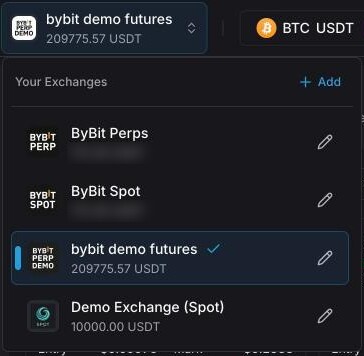
The switcher sits at the top left of the header. It shows the active account's name and its USDT balance (USDC on Hyperliquid). Click it to open Your Exchanges:
- The list of accounts with their balances. Click an account to switch the terminal or the Bots page to it; the symbol you're on stays. Middle-click opens the account in a new tab.
- Auth error under an account means the exchange refused its API key. Unavailable means the exchange isn't answering right now.
- + Add opens the Add Exchange dialog.
- The pencil next to an account opens Edit Exchange.
Add an exchange account
First create an API key on the exchange: see Bybit or Hyperliquid. Demo Exchange needs no key.
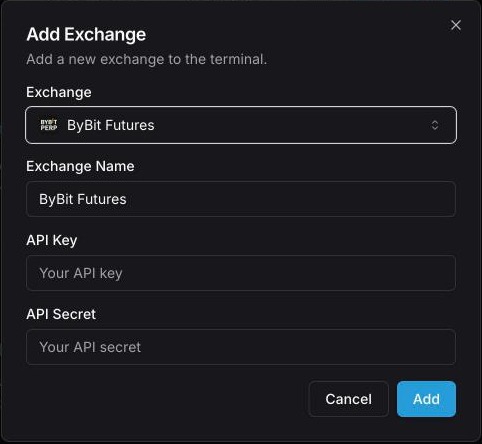
- Click the exchange switcher in the header, then + Add.
- In Exchange, pick the account type, for example ByBit Futures.
- Exchange Name fills in by itself (a second Bybit Futures account becomes "ByBit Futures 2"). Change it if you like: 3 to 50 characters.
- Paste the credentials: API Key and API Secret, or Wallet Address and Private Key for Hyperliquid. Exchanges that require a passphrase show a Passphrase field too.
- Click Add.
Tradiflux checks the key with the exchange by reading your balance. If the exchange refuses it, nothing is saved and you see an error such as "Invalid API keys for bybit. Please check your API keys and try again." On success you see "Exchange added successfully" and the terminal opens on the new account (or the Bots page, if you started there).
Your first account
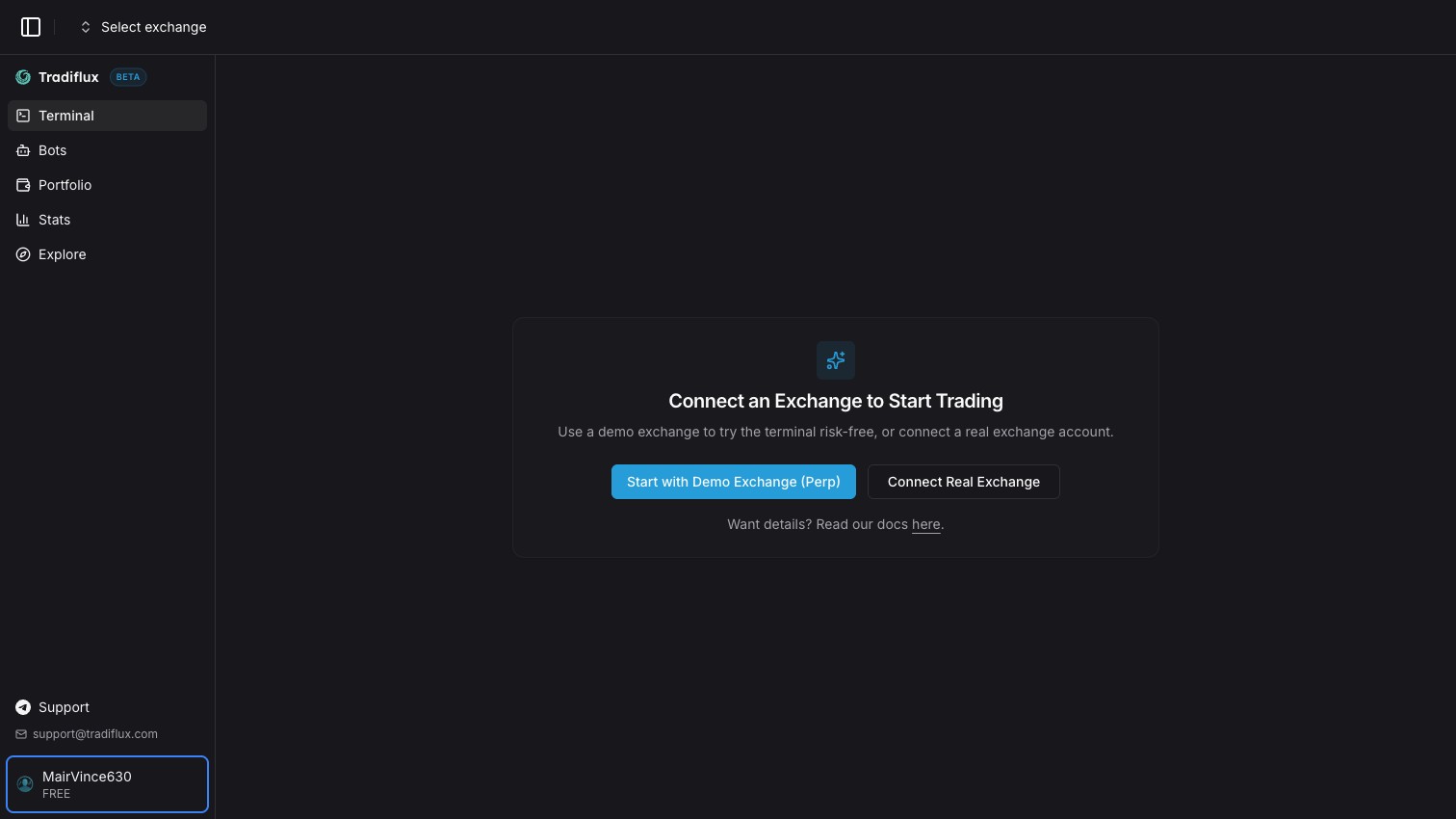
With no accounts yet, the app opens on Connect an Exchange to Start Trading:
- Start with Demo Exchange (Perp) creates a demo futures account in one click, with no keys.
- Connect Real Exchange opens the same Add Exchange dialog.
Keep your API keys safe
- Give the key only reading and trading permissions. Never enable withdrawals or transfers: Tradiflux never needs them.
- Create a separate key for Tradiflux and name it so you recognise it. Then you can revoke it on the exchange without touching your other apps.
- Tradiflux doesn't publish server IP addresses for an IP whitelist, so create the key without an IP restriction.
- On Hyperliquid you enter the key of an API wallet, which can trade but can't withdraw. Never enter your main wallet's private key or seed phrase.
- Tradiflux stores keys encrypted (AES-256).
- If you think a key has leaked, delete it on the exchange first, then create a new one and update it in Tradiflux.
Update keys or rename an account
- Open the exchange switcher and click the pencil next to the account.
- In Edit Exchange, change Exchange Name if you want to rename it. The account type can't be changed.
- To replace the keys, fill in all the credential fields: API Key and API Secret (plus Passphrase where there is one), or Wallet Address and Private Key on Hyperliquid. Leave them all empty to keep the current keys.
- Click Update.
New keys are checked with the exchange the same way as when you add an account. A demo account has no keys: you can only rename it.
Delete an account
- Open the exchange switcher and click the pencil next to the account.
- Click Delete, then Delete again in Confirm Deletion.
Tradiflux refuses to delete an account that still has open deals or running bots, because their orders would stay live on the exchange with nothing watching them. The message says how many there are: "Close the open deals (2) and stop the bots (1) on this account first". Close the deals and stop the bots, then delete the account.
Deleting the account in Tradiflux doesn't delete the API key on the exchange. If you won't use it again, remove it there too.
Connection warnings
When something is wrong with the active account, a banner appears under the header:
| Banner | What it means | What to do |
|---|---|---|
| "… API keys are invalid. Requests are paused for this exchange." | The exchange refused the key: it was deleted, expired or lost a permission. | Click Edit keys and enter a new key. If you fixed the key on the exchange, click Retry now. |
| "… is unavailable" | Requests to the exchange keep failing, for example during maintenance. | Wait, then click Retry now. |
| "…: the API key expires in N days." / "…: the API key has expired." | A Hyperliquid API wallet is about to expire or has expired. | Create a new API wallet on Hyperliquid and click Edit keys. See Hyperliquid. |
After Retry now you see "Connection restored" when the exchange answers again, or "API keys are still invalid" when it still refuses the key.
Until the key is fixed, Tradiflux can't place, change or track orders on that account.