
Getting started
Tradiflux is a crypto trading terminal that works on top of your exchange accounts. Your funds stay on the exchange; Tradiflux places and manages orders there through your API keys.
- Trading terminal — chart, order book, positions and orders on one screen, on desktop and phone.
- Smart orders — entry, averaging orders, a stop-loss and several take-profits run as one deal.
- Bots — grid, DCA and recurring-buy bots (Basic plan).
- AI assistant — a chat in the app and in Telegram: market analysis, chart drawings and alerts, plus orders and bots it proposes and you confirm (Basic plan).
- Price alerts — from a dialog, straight from the chart, or set by the AI assistant.
- Telegram — notifications, sign-in, the AI assistant in a chat and a Mini App.
- Free charts — TradingView Advanced Charts on Explore, no account needed.
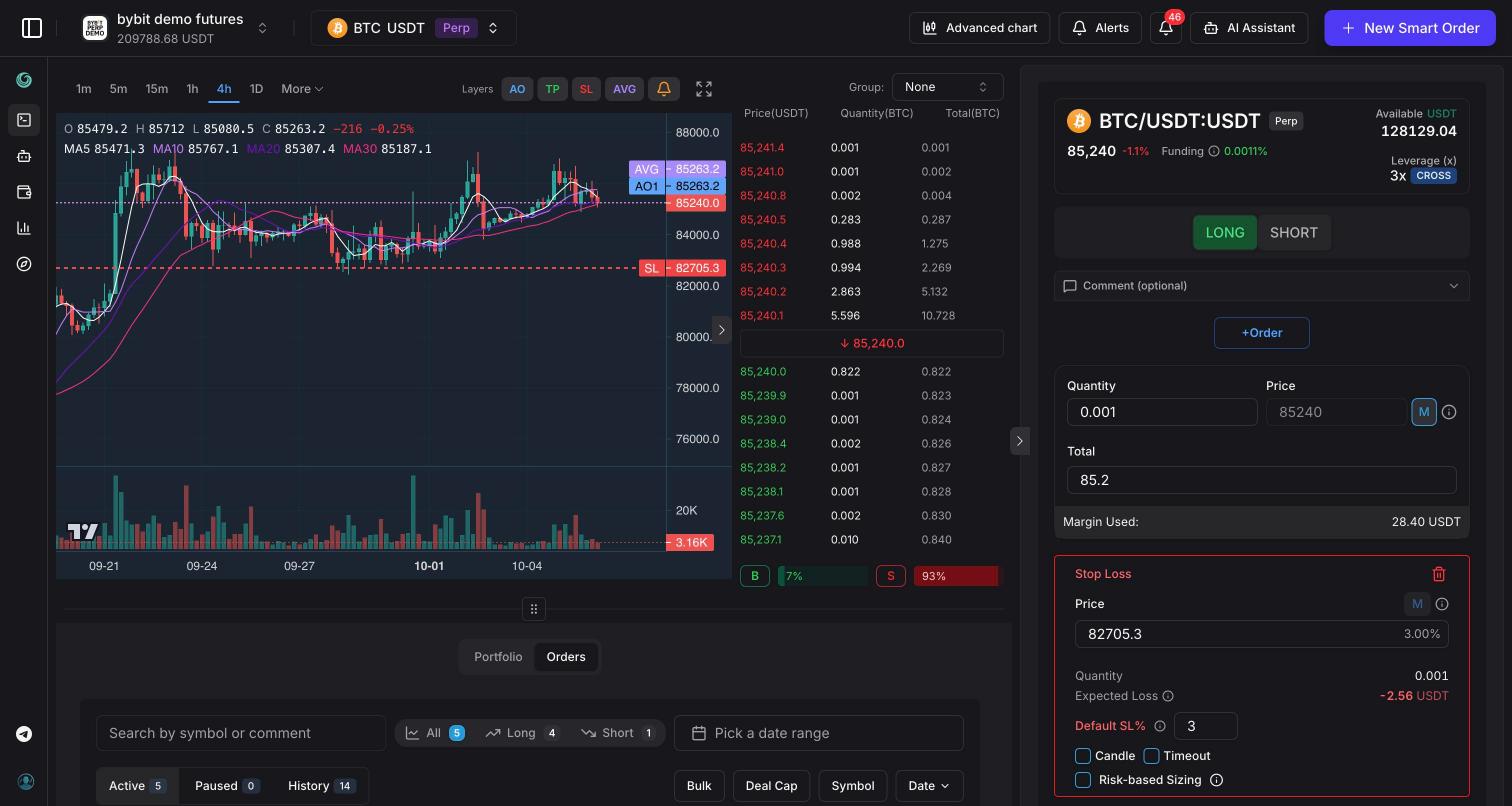
- Exchange account — switch between your connected accounts or add a new one.
- Symbol — pick the market to trade (Cmd/Ctrl + K).
- Timeframes and chart layers — candle interval and which order lines the chart shows.
- Chart — candles with volume and moving averages, your order lines and price alerts.
- Order book — live bids and asks.
- Smart order form — build a new smart order or edit the one you opened.
- Alerts — create and manage price alerts.
- Notifications — the notification center.
- AI Assistant — opens the assistant chat.
- Orders and portfolio tabs — your smart orders and the assets and positions on the exchange.
See Trading terminal for a full tour.
Quick start
1. Create an account
Open Sign up and choose one of the options:
- Continue with Google.
- Continue with Telegram — the Tradiflux bot sends "Sign in to Tradiflux in a browser?" with your browser and IP address. Press Sign in to finish, or Decline if it wasn't you. If this Telegram account has no Tradiflux account yet, the bot also shows Open Tradiflux: create the account there, then press Sign in.
- Email and password — fill in the form and click Sign Up, then open the verification link we email you.
2. Start with a demo account
Until you connect an exchange, the app shows Connect an Exchange to Start Trading. Click Start with Demo Exchange (Perp) to get a demo account with virtual balances and live prices — no API keys needed.
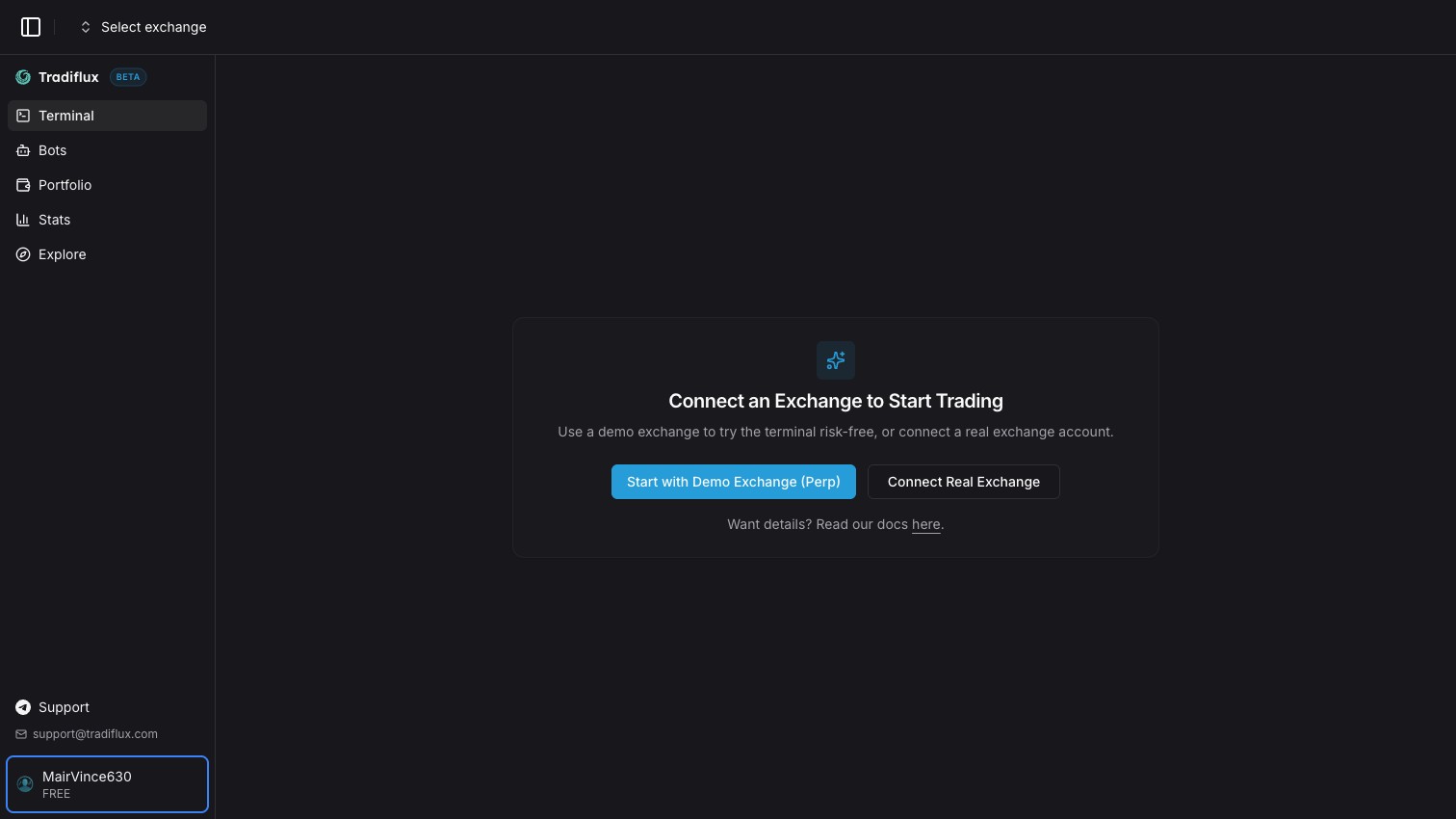
The terminal opens on the new account. More in Demo exchange.
3. Place your first smart order
- Click New Smart Order in the header.
- Pick a symbol in the symbol selector, for example BTC/USDT.
- Choose LONG or SHORT.
- Enter the Quantity or the Total. Click the type button next to the price until it shows M to enter at market.
- Click +SL to add a stop-loss and +TP to add a take-profit. Drag their lines on the chart or type the prices.
- Click the green LONG … (or red SHORT …) button at the bottom of the form.
The deal appears in the Orders tab, and its lines stay on the chart. Everything the form can do is in Smart orders.
4. Connect a real exchange
Open the exchange switcher at the top left and click Add (on the first screen, Connect Real Exchange does the same). Choose the exchange, give the account a name and paste your API keys. The keys are checked when you add them.
Step-by-step guides: Exchanges, Bybit, Hyperliquid.
5. Link Telegram
If you signed up with Telegram, the bot is already linked. Otherwise:
- Go to Settings → Integrations and click Connect Telegram.
- Tap Start in the Tradiflux bot.
- Return to the app and click Refresh status.
Fills, stop-losses, take-profits, price alerts and bot events now reach you in Telegram. See Telegram and Notifications.
Plans
| Free | Basic ($19/month) | |
|---|---|---|
| Exchange accounts | 4 | 10 |
| Open smart orders | 5 | Unlimited |
| Bots | — | 10 |
| Active price alerts | 5 | 50 |
| AI assistant | — | Included, $5/month credits |
Billing and AI credits are covered in Account and billing.
Where next
- Trading terminal — layout, chart, order book, portfolio and orders tabs, mobile.
- Smart orders — entries, averaging, stop-loss, take-profits, editing a live deal.
- Price alerts — create, manage and move alerts on the chart.
- Notifications — notification center and what you get notified about.
- AI assistant — chat, proposals you confirm, chart drawings.
- Telegram — bot, notifications, Mini App.
- Explore — free TradingView charts.
- Signals — rule-based setups and their track record.
- Bots overview — Grid bot, DCA bot, Recurring buy.
- Portfolio and stats — balances across exchanges and trading results.
- Account and billing — settings, security, plans, AI credits.
- Exchanges — Bybit, Demo exchange, Hyperliquid.